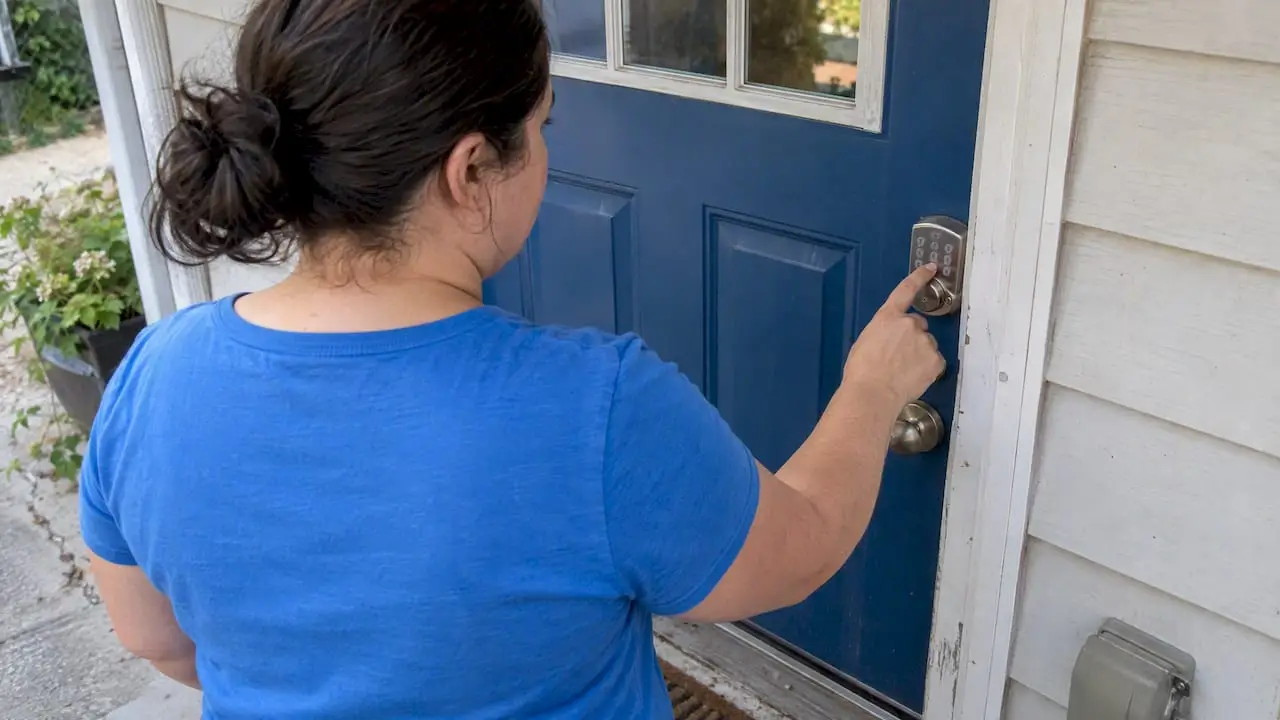
The safest way to give a cleaner access to your home is a method you control and can switch off: a lockbox you set the code for, a door or garage code made for that one household, or a smart-lock guest code that expires on its own. A physical key handed over and forgotten is the weakest option. Below we walk through each method, what to set up before the first visit, and how to handle the tricky cases: apartment buildings with front desks, pets, and a move-out clean when you are not in town.
TL;DR
- Prefer access you control: a lockbox, a code unique to your home, or a time-limited smart-lock guest code. Keys are the last resort.
- Never put your name or address on a key. If a key has to be held, tie it to a private record by a number.
- Change or rotate the code when a cleaner leaves the team, after a dispute, or after a long gap between visits.
- Secure your Wi-Fi router and turn on multi-factor authentication for any smart-lock app.
- Give your cleaners written notes on alarms, pets, parking and building rules before visit one, not after a lockout.
Table of Contents
- Why access is the first thing to settle
- The main ways to let a cleaner in
- Protecting a smart lock from the outside
- When to change the code
- Apartments, condos and buildings with a front desk
- Pets, alarms and the details people forget
- A setup checklist before the first clean
- Our perspective on home access
- Booking a clean with an access plan
- Frequently asked questions
- Sources
Why access is the first thing to settle
A cleaning visit starts at the door. You are trusting someone with your home when you may be at work, and no review score changes that. Industry writers put it bluntly: access is what customers worry about most and talk about least. A clear, documented access plan is one of the quickest ways a cleaning company earns trust.
It is also a practical matter. A cleaner who can’t get in loses the appointment, and you may lose the slot. A code that is wrong, a lockbox that sticks, or a concierge who was never told about the visit are the most common reasons a clean doesn’t happen on time. Sorting it out once, in writing, prevents most of that.
The main ways to let a cleaner in
Most residential cleaning arrangements in the US use one of four approaches, according to industry guidance on key management: lockboxes, door or garage codes, smart-lock guest codes, and physical keys. Here is how they compare.
| Method | You control it | Easy to revoke | Main risk | Good for |
|---|---|---|---|---|
| Lockbox you set | Yes | Yes, change the combination | Code shared too widely, box visible from the street | Houses, townhomes, rowhouses |
| Keypad door or garage code | Yes | Yes | Same code reused for years | Homes with an existing keypad |
| Smart-lock guest code | Yes | Yes, can expire automatically | Weak app or router security | Frequent or recurring visits |
| Physical key held by the cleaner | Partly | No, you must re-key | Loss, copying, mix-ups | Rare cases only |
| Present at home or building staff lets in | Yes | Not applicable | Scheduling friction | First visits, buildings with a desk |
Lockboxes
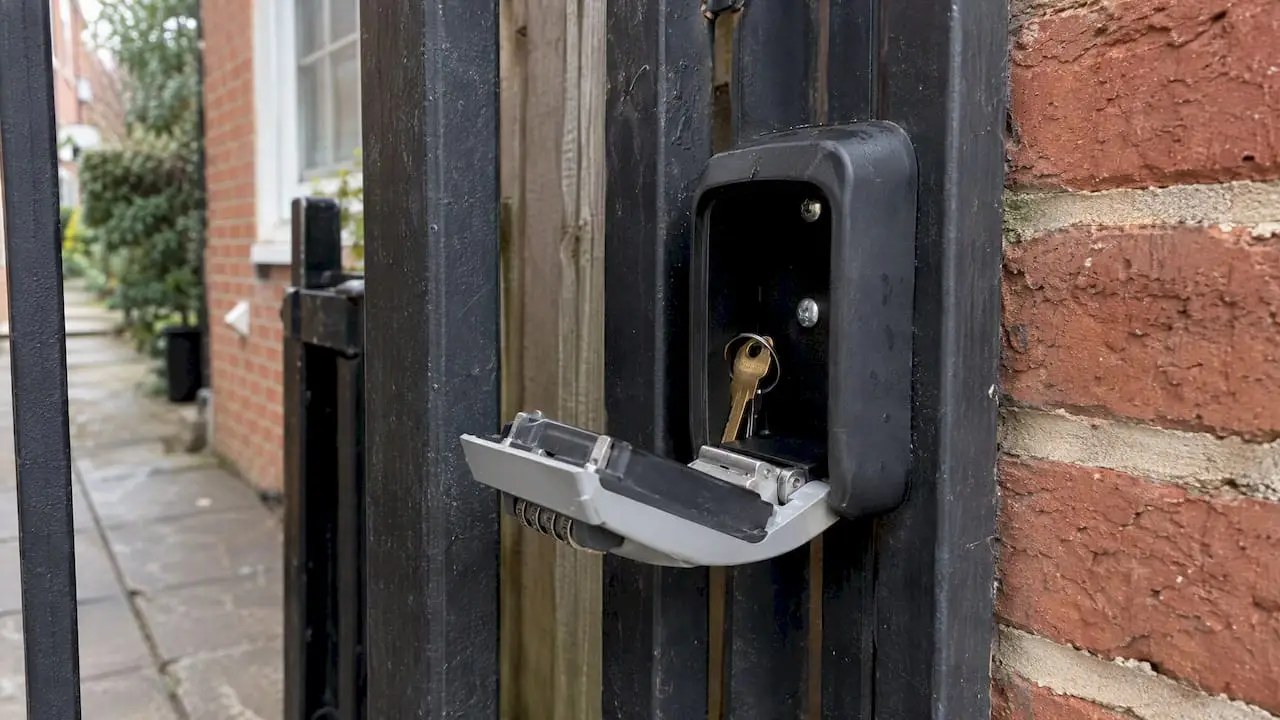
A lockbox holds a spare key and opens with a combination you choose. It works well in Washington rowhouses, Northern Virginia townhomes and Maryland single-family homes because it needs no wiring or app. Mount it somewhere not obvious from the sidewalk, set a combination that isn’t your birth year or house number, and change it when circumstances change. The big advantage is that you, not the cleaning company, keep the control.
Door and garage codes
If you already have a keypad deadbolt or garage keypad, you can add a code that is only used for cleaning. That makes it easy to tell who is entering when you check your lock’s log, and easy to delete without affecting family members. Avoid sharing your own personal code.
Smart-lock guest codes
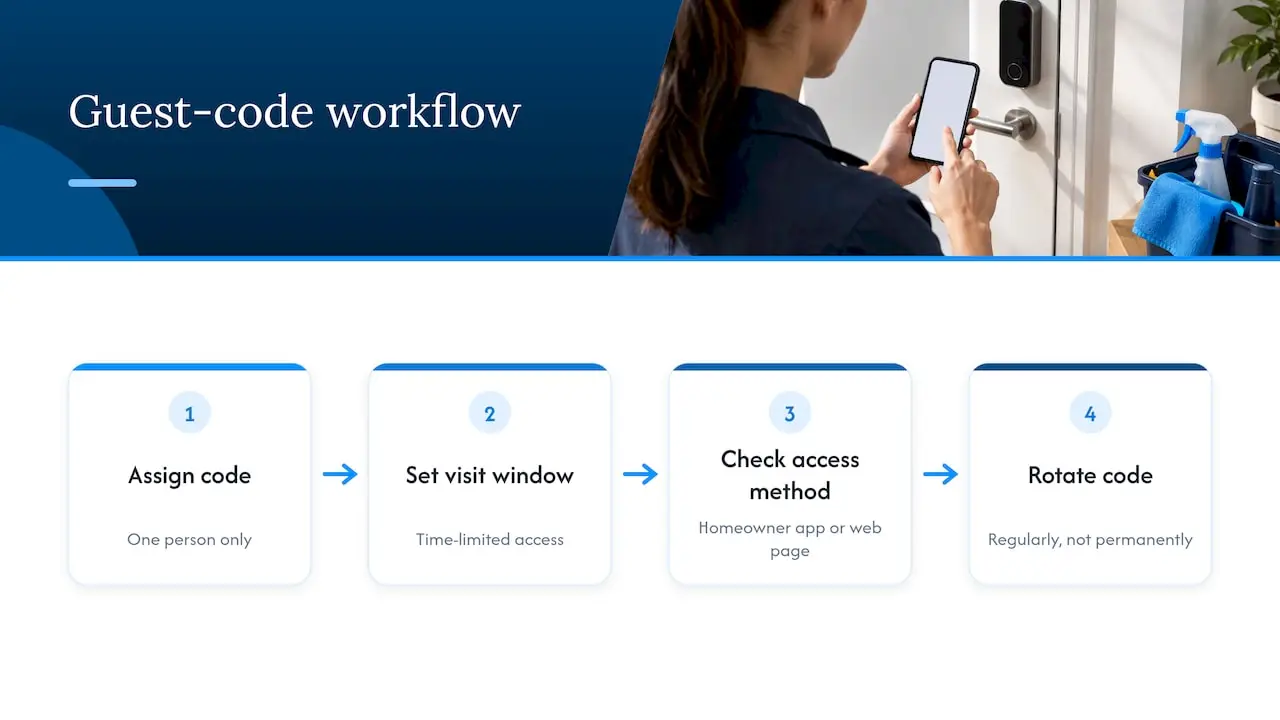
Smart locks let you create a code for one person and one time window. Guidance for service professionals favors time-limited, visit-specific codes that you rotate regularly over a permanent universal code. Many systems make the guest use the homeowner’s app or a web page, and one feature analysis of smart home management systems found that the majority of the 12 it examined require shared users to go through the same app as the homeowner or a web interface. Check how your lock does it before you rely on it.
Physical keys
Keys are still common, but they are increasingly discouraged. A lost key means re-keying, and a key that is mislabeled or copied is a security problem you may not learn about for months. If a key must be held, it should never carry your name or address. A numeric code that maps to a private record is the accepted practice, and the key should be kept in a locked box, never left in a bag or vehicle overnight. Ask any company how it handles this before you hand one over.
Protecting a smart lock from the outside
A smart lock is only as strong as the network and app behind it. In 2020 the FTC settled with a smart-lock maker over claims that its locks were “unbreakable”. The case turned on unencrypted Bluetooth and weak authentication that could let strangers in. The lesson isn’t to avoid smart locks. It is to buy from vendors with a security track record and keep the firmware current.
CISA’s guidance on securing internet-connected devices adds the household side:
- Change the default password on your router and every connected device to a strong, unique one.
- Turn on multi-factor authentication for the smart-lock app and any home-automation account.
- Keep the lock’s app and firmware updated.
- Remove guest codes you no longer need rather than leaving them dormant.
The router matters most because it is the gateway to everything else on your network. If you haven’t changed its password since you plugged it in, do that before issuing any guest codes.
When to change the code
A code that never changes is a key that never gets returned. Change or rotate it when:
- a cleaner who knew it leaves the team or stops serving your home;
- you had a dispute or a concern about a visit;
- the house sat unserviced for a long stretch, such as after a winter away;
- you moved, sold or rented the property, or a tenant changed;
- you simply can’t remember who has been given it.
These triggers come from published maid service safety protocols, and they cost you two minutes with a keypad. For recurring service, a calendar reminder every few months is enough.
Apartments, condos and buildings with a front desk
Access in a building is a different problem, because you don’t control every door. Think through each layer:
- Front desk or concierge. Put the cleaner’s name and arrival window on the authorized-visitor list. Many buildings in DC, Arlington, Alexandria and Bethesda require this in advance and may ask for the company’s insurance details.
- Fobs. Building fobs are usually registered to a resident and can’t be copied casually. Ask management whether a temporary fob is available rather than lending your own.
- Elevators and loading docks. Some buildings restrict service elevators to certain hours. Move-in and move-out cleans are the most affected.
- Parking. Street parking in dense neighborhoods is limited, and visitor permits may be needed. Tell the team where to park, or the first few minutes of the visit disappear.
If you manage a multi-unit property rather than live in one, these cleaning tips for multi-family property managers give a wider view of coordinating service across units.
For a vacant apartment before a lease starts or ends, see our guides to apartment move-in cleaning and the move-out cleaning checklist. Both assume the unit is empty, which makes access simpler: a lockbox on the door or a handoff with the leasing office.
Pets, alarms and the details people forget
Getting through the door is only the first step. A handful of details should be written down before the first visit:
- Alarm system. Give the code and the disarm window, and say who gets called if it trips.
- Pets. Say where each animal will be, whether any dart for the door, and which rooms stay closed. Our guide to prepping for pets during house cleaning takes 15 to 30 minutes and avoids most surprises.
- Cleaning products. If you have animals or small children, ask what is being used and where it is stored. Our page on pet-safe cleaning explains what to look for.
- Off-limits areas. Home offices, a locked closet, a nursery during naps.
- Wi-Fi and cameras. If you have indoor cameras, tell the team where they are. Tell them about any that record audio.
Chemical safety is part of access too
Letting someone into your home also means letting in the products they carry. OSHA’s guidance on mold cleanup warns against mixing bleach with ammonia-based cleaners and recommends gloves and goggles for the job. A reputable, insured company stores and uses its products according to the manufacturer’s label and its own safety data sheets. You should never have to wonder what is under your sink after a visit.
A setup checklist before the first clean
- Choose the method: lockbox, existing keypad, smart-lock guest code, or being home.
- Test it yourself from the outside, in the cold or the dark if you can, so you know it works as a stranger would find it.
- Write down the address notes: gate, buzzer, floor, unit, parking.
- Share the code through the booking record or a message, not on a sticky note or in a group chat.
- List alarm instructions, pet locations and off-limits rooms.
- Agree what happens if access fails: who gets called, and how long the team waits.
- Set a reminder to change the code after the first month, then every few months.
Lockout policies vary by company. Ask in advance what happens if the team can’t get in, whether there’s a fee, and how the visit is rescheduled. It is a reasonable question and a good company will have an answer.
Our perspective on home access
We clean homes and apartments across Washington, DC, Northern Virginia and Maryland, and the visit that goes best is the one where access was settled days earlier. Our clients are busy households: parents, remote workers, people with pets, people between leases. Most are not home when we arrive, so access has to be reliable and the client has to trust it.
Our advice is simple. Choose the method you can change yourself in two minutes. Keep the notes short and specific. Don’t hand over a key unless there’s no alternative, and tell us anything that matters: the dog that slips out, the alarm that beeps for 30 seconds, the building that needs a visitor name by noon. Trained, insured staff and eco-friendly products matter only if the team can get in smoothly and you feel at ease while they are there. If something about how we enter your home makes you uneasy, say so. We would rather change the arrangement than have you worry about it.
— Local
Booking a clean with an access plan
When you book a house cleaning online, you can choose a one-time visit or a recurring schedule and add the access details your home needs. We offer standard and deep cleaning, as well as move-in and move-out cleans. If you’re not sure which fits, our comparison of standard vs deep cleaning helps you choose. Recurring clients often start with a deep clean, explained in why a deep clean before recurring visits makes later visits quicker. Our recurring cleaning benefits page covers what a regular schedule gives a busy family.
Frequently asked questions
Do I have to give a cleaner a key?
No. A lockbox, a keypad code, or a smart-lock guest code all work without handing over a key, and most are easier to revoke. Many cleaning professionals now prefer them because a held key is a liability if it is lost. If you would rather be home for the first few visits, that works too.
Is it safe to give a cleaner my smart-lock code?
It can be, if you set it up carefully. Create a code just for the cleaning team, set it to expire or delete it when the service ends, and turn on multi-factor authentication for the app. Change your router’s default password too, as CISA advises.
What if my building has a front desk or key fob system?
Ask management how they handle service providers. Usually you add the cleaner’s name and arrival window to the visitor list in advance, and sometimes a temporary fob or building-issued access card is available. Do it before the first visit, not on the morning.
How often should I change the access code?
Change it whenever someone who knew it leaves the team, when there’s been a dispute, or when the home has been empty for a long time. Otherwise, a reminder every few months is a sensible habit for recurring service. Smart-lock guest codes that expire after each visit remove the need entirely.
What happens if the cleaner can’t get in?
That depends on the company’s policy, so ask before you book. Some companies charge a lockout fee or reschedule the visit, and a wrong code or a missed building notice are the usual causes. Test your method from outside before the first visit to avoid it.
Sources
- How to Handle Keys and Home Access as a Cleaning Business, SmallCrew HQ
- Cleaning Client Key Access Management, DoorstepHQ
- Maid Service Safety Protocols: Home Entry, Security, and Key Handling
- To Share or Not to Share: Feature Analysis of Smart Home Management Systems, NSF
- Canadian Maker of Smart Locks Settles FTC Allegations, Federal Trade Commission
- Securing the Internet of Things (IoT), CISA
- Mold fact sheet, OSHA